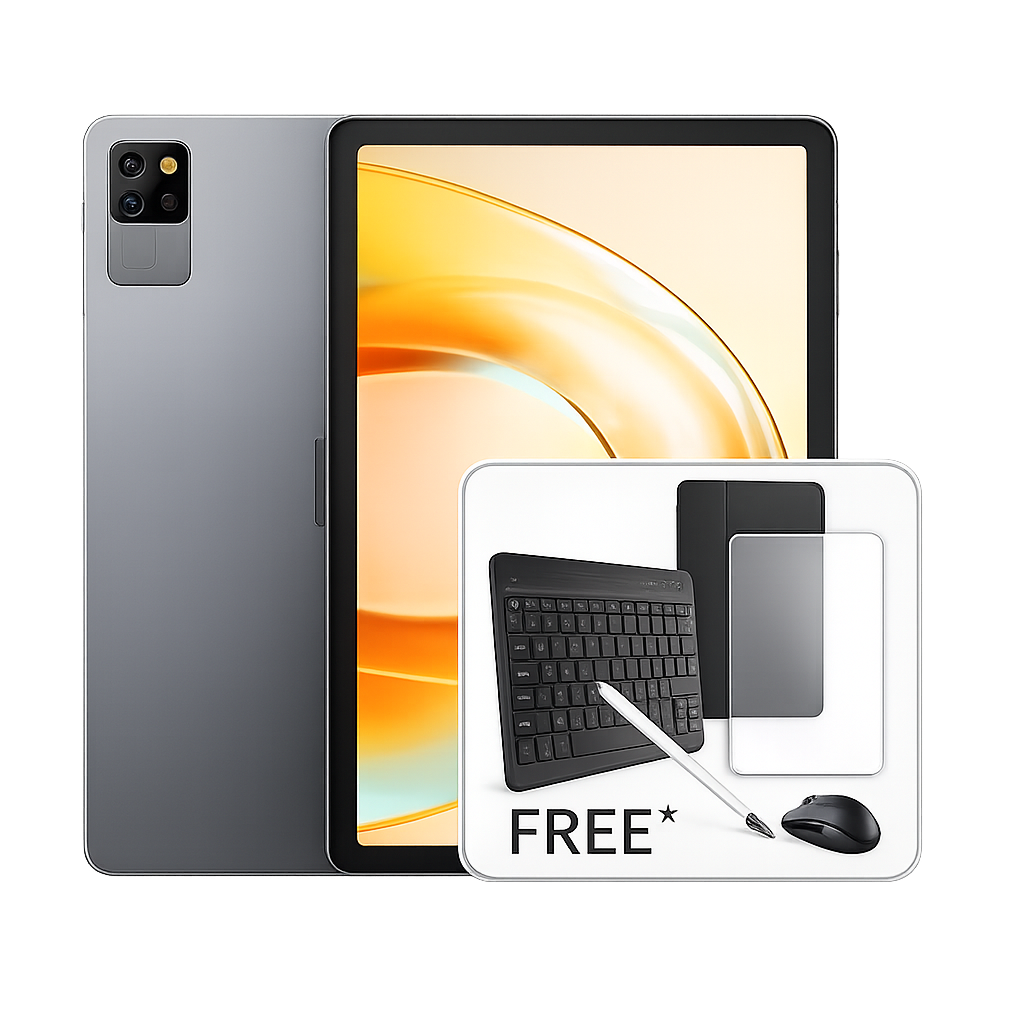
Blackview Tab 60 Pro Review (24GB+128GB, 7700mAh): Best Budget 10.1-Inch 4G Tablet for Students and Everyday Use?
The Blackview Tab 60 Pro is a budget friendly Android tablet designed for students, parents, and everyday users who want a 10.1inch screen, long lasting battery life, and 4G connectivity without paying premium prices. It comes with up to 24GB RAM (including virtual RAM expansion) and 128GB storage, which is enough for school apps, social media, light multitasking, and media consumption. The 7700mAh battery makes it suitable for full days of online classes, browsing, and streaming, while dual SIM 4G ensures you stay connected even when WiFi is not available.
This tablet is aimed at people who need an Android tablet for learning, online classes, YouTube, and basic work apps like document editing and email, rather than heavy gaming or professional creative work. It offers good value for money by combining a large display, strong battery, and flexible connectivity in an affordable package.
In this review, you learn what the Blackview Tab 60 Pro does well, such as battery life, connectivity, and general usability, and where it compromises, like high end performance and camera quality. It also explains who will benefit the most from this device, especially Nigerian students and parents who want a reliable learning and entertainment tool on a budget. Finally, it highlights why buying from trusted tech retailers such as obejorcomputers.com, managed by @obejorcomputers on social media, is important to get genuine products, proper support, and the best deals.
Why the Blackview Tab 60 Pro Matters for Students and Everyday Users
Premium tablets are now very expensive. As a result, many students and families cannot afford them. The Blackview Tab 60 Pro offers a 10.1inch IPS display, Android 14, and 4G support at an entry level to midrange price point.
For students, this means you can attend Zoom or Google Meet classes, access elearning platforms, read PDFs, and stream videos without buying a full laptop. Everyday users who mainly browse the web, watch movies, chat, and use social media also benefit from the stereo speakers, dual SIM connectivity, and enough storage for apps and media.
Compared to many low end tablets that struggle with performance, the Unisoc T606 chipset in this model gives smoother multitasking for basic tasks. Therefore, it works well for users who want value and reliability, not raw power.
Key Specs and Features Explained
The Blackview Tab 60 Pro packs a lot of features for its price. It is easier to understand when you break them into display, performance, battery, and connectivity.
Display and Design of the Blackview Tab 60 Pro
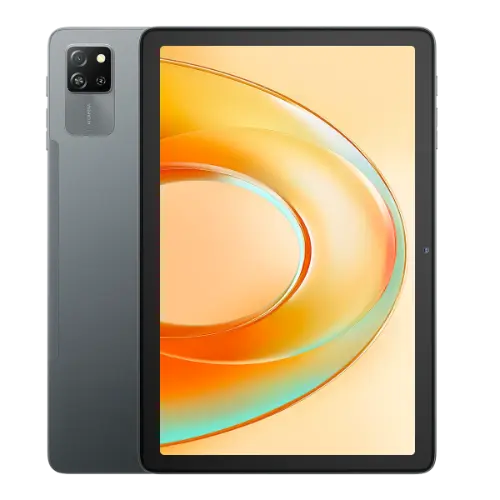
The tablet has a 10.1inch IPS LCD with an 800 x 1280 resolution. This is an HD class display, which is adequate for online classes, browsing, and media consumption. Colours and viewing angles are decent for a budget device, so it feels comfortable for long reading and video sessions.
The design is simple and modern. It has relatively slim bezels for the price, so you can hold it easily in both portrait and landscape modes during study or entertainment. The build quality matches other affordable tablets. It uses plastic, but it still feels solid enough for everyday use.
Performance, RAM and Storage
Inside, the Blackview Tab 60 Pro uses the Unisoc T606 octa core processor. This chip offers enough power for browsing, social media, office apps, and classroom tools. It comes with 4GB or 8GB base RAM plus RAM expansion up to a total of 24GB, which helps with smoother multitasking when you switch between a few apps.
Storage options include 128GB or 256GB internal storage. In addition, you can add a microSD card to expand the space for videos, textbooks, and offline learning materials. For an Android tablet for learning, this combination of RAM and storage is more than enough for students and casual users.
Battery, Charging and Connectivity
The 7700mAh battery is one of the standout features of the Blackview Tab 60 Pro. It offers long endurance for web browsing, video playback, and study sessions throughout the day. In many cases, you can use it for a full day of mixed tasks without recharging.
Charging is limited to 10W. As a result, it takes some time to recharge from low to full. However, the strong battery life makes up for the slower charging speed.
On the connectivity side, you get dual SIM 4G, WiFi ac, Bluetooth 5.0, GPS, and a 3.5mm audio jack. This mix makes the tablet flexible for online classes, navigation, and media on the go.
Cameras and Multimedia Experience
The Blackview Tab 60 Pro includes an 8MP rear camera with flash and a 5MP front camera for selfies and video calls. These cameras are not designed for professional photography. However, they work well for scanning documents, recording simple clips, and attending online meetings.
Stereo speakers and the large display create a comfortable experience for video streaming and casual content consumption. The resolution is HD, not Full HD, so it is not the sharpest screen. Even so, most students and families will find it good enough for an Android tablet for learning and entertainment at this price.
Real World Performance: Study, Streaming, and Light Gaming
Specs are helpful, but real usage matters more. Therefore, it is important to look at how the Blackview Tab 60 Pro performs each day.
Blackview Tab 60 Pro in Everyday Use
In everyday tasks like browsing, social media, email, and messaging apps, the tablet runs smoothly if you avoid too many heavy apps at once. The Unisoc T606 and the RAM expansion help keep common apps responsive and reduce lag during light multitasking.
App launches feel reasonably quick for the price point. When you switch between a handful of apps, the higher RAM variant feels noticeably smoother. As long as you use it for normal daily tasks, performance should not be a problem.
Android Tablet for Learning and School Tasks
As an Android tablet for learning, the Blackview Tab 60 Pro is well equipped for elearning platforms, PDF readers, note taking apps, and school portals. Students can run Zoom or Google Meet, Google Classroom, Microsoft Office or WPS, and browser based learning tools comfortably.
The large screen makes reading textbooks and slides easier than on a smartphone. In addition, the long battery life supports full days of virtual classes or self study. Dual SIM 4G is especially useful in areas with unstable WiFi because students can switch to mobile data to stay connected.
Streaming, Entertainment and Light Gaming
For media, the 10.1inch display and stereo speakers create a good experience for YouTube, Netflix, and social media scrolling. The HD resolution is acceptable for casual viewing, although users who are used to high resolution flagship screens may notice the difference.
Casual games and lighter titles run fine at modest graphics settings. However, this tablet is not meant for demanding 3D games or graphics intensive titles. If your main goal is entertainment, study, and light gaming, the performance will feel adequate. If you want serious gaming, you should consider a dedicated gaming device instead.
Pros and Cons of the Blackview Tab 60 Pro
Here is a quick overview of the main strengths and weaknesses of the Blackview Tab 60 Pro.
| Aspect | Strengths | Limitations |
| Display | 10.1inch size is great for reading, classes, and media. | 800 x 1280 resolution is only HD, not ideal if you want very sharp text and visuals. |
| Performance | Unisoc T606 with RAM expansion up to 24GB supports smooth basic multitasking and everyday apps. | Not suitable for heavy 3D gaming or demanding professional software; the GPU is entry level. |
| Battery | 7700mAh battery gives long screen on time for study, streaming, and browsing. | 10W charging is relatively slow for such a large battery. |
| Connectivity | Dual SIM 4G, WiFi ac, Bluetooth 5.0, GPS, and 3.5mm jack make it flexible for students on the go. | No NFC and no 5G, so it is limited to basic connectivity and 4G networks. |
| Storage | 128GB or 256GB internal storage with microSD expansion supports lots of apps, videos, and study materials. | Base RAM variants (4GB) can feel limited if you run many apps even with RAM expansion. |
| Cameras | 8MP rear and 5MP front cameras are fine for document snaps and video calls. | Camera quality is basic and not suitable for serious photography or content creation. |
Is the Blackview Tab 60 Pro Good as an Android Tablet for Learning?
As an Android tablet for learning, the Blackview Tab 60 Pro checks most of the important boxes. It offers a big display, long battery life, 4G connectivity, and enough performance for elearning apps and productivity.
Students can join classes, download notes, read textbooks, and submit assignments without buying a more expensive device. This works well as long as their tasks stay within web, office apps, and basic media.
The tablet’s dual SIM 4G support also helps students in areas with unstable WiFi. They can fall back to mobile data and still attend online classes or research. Parents who want a learning and entertainment device for kids will appreciate the large storage for offline videos and educational apps. The price is also attractive when compared with big brand alternatives.
Where to Buy the Blackview Tab 60 Pro Safely
Budget tablets can sometimes be misrepresented or sold with altered specs in open markets. Because of this, you should buy the Blackview Tab 60 Pro from trusted tech retailers. Reputable online stores that specialize in laptops, tablets, and gadgets usually provide clear specs, warranty, and after sales support.
If you are in Nigeria and want to shop safely, you can check available tablets, including the Blackview Tab 60 Pro and similar models, on obejorcomputers.com. This is a dedicated tech store focused on the local market. @obejorcomputers, the social media manager for the brand, regularly shares deals, restocks, and tablet recommendations tailored to students and everyday users.
Key Buying Tips Before You Choose the Blackview Tab 60 Pro
Before you decide if the Blackview Tab 60 Pro is right for you, keep these tips in mind:
- Match your use case to its strengths. It is best for students, kids, and everyday users who mainly browse, stream, read, and do light work. It is not ideal for heavy gaming or professional creative workloads.
- Prioritize RAM and storage. If possible, choose the higher RAM variant to make multitasking smoother. Also use microSD expansion for videos, textbooks, and files.
- Consider battery and charging. The 7700mAh battery is excellent for long sessions. However, plan your charging time since it is limited to 10
- Verify specs at purchase. When you buy from any retailer, confirm RAM, storage, and connectivity in the device settings before you pay.
For many Nigerian students and families who want an affordable Android tablet for learning, the Blackview Tab 60 Pro offers strong value and a balanced feature set for its price bracket. When you are ready to buy, visiting a reliable store like obejorcomputers.com and following @obejorcomputers for offers and updates can help you get a genuine device and the best deal.
Conclusion
The Blackview Tab 60 Pro delivers a solid balance of specs and value for students, parents, and everyday users who need an affordable Android tablet for learning, online classes, streaming, and light productivity. With its 10.1inch display, 7700mAh battery, dual SIM 4G, and expandable storage, it fits well as an Android tablet for learning and home use rather than a high end gaming or pro creative device.
If you stay within its strengths study, browsing, media, and simple apps the Blackview Tab 60 Pro offers very good value for money in the budget tablet segment. When you are ready to buy, choosing a trusted Nigerian tech retailer like obejorcomputers.com and following @obejorcomputers on social media will help you avoid fake or misrepresented devices and stay updated on deals.
Frequently Asked Questions (Q/A)
- Is the Blackview Tab 60 Pro good for students?
Yes. The Blackview Tab 60 Pro suits students thanks to its 10.1inch screen, 7700mAh battery, dual SIM 4G, and enough performance for elearning apps, PDF reading, note taking, and video classes. It works very well as an Android tablet for learning if you are not doing heavy gaming or advanced design work. - Can the Blackview Tab 60 Pro handle online classes and video calls?
Yes, it can. The tablet runs Zoom, Google Meet, and similar apps smoothly for normal use. Its 4G connectivity plus WiFi make it reliable for online classes and meetings. The 5MP front camera is adequate for video calls, and the large battery lets you attend multiple sessions without worrying about charging. - Is the Blackview Tab 60 Pro good for gaming?
It handles casual and light games at modest settings. However, it is not designed for heavy 3D titles or competitive gaming because of its entry level GPU. If your main goal is serious gaming, a dedicated gaming phone or gaming laptop will be a better choice. - How long does the battery last on the Blackview Tab 60 Pro?
With its 7700mAh battery, you can expect many hours of web browsing, elearning, and video streaming on a single charge. In typical use, it can last a full school day of mixed tasks. Charging is limited to 10W, so it takes some time to go from low to full, but the endurance remains a strong point. - Is the Blackview Tab 60 Pro a good Android tablet for learning for kids?
Yes. Parents can set it up as an Android tablet for learningby installing educational apps, ebooks, and children’s platforms. They can also use the large storage for offline videos and learning materials. The big screen and long battery life make it suitable for kids’ study and entertainment when you apply proper supervision and parental controls. - Does the Blackview Tab 60 Pro support SIM cards and mobile data?
Yes, it does. The tablet supports dual SIM 4G, so you can insert two SIM cards and use mobile data for internet access when WiFi is not available. This feature is especially useful for students in areas with unstable WiFi who still need reliable access to online classes and research. - How much storage does the Blackview Tab 60 Pro have, and can I expand it?
It comes with 128GB or 256GB internal storage, which is enough for apps, notes, and media. You can also expand it with a microSD card to add more space for videos, textbooks, and files. This flexibility is great for students and families who download a lot of offline learning content. - Where is the best place to buy the Blackview Tab 60 Pro in Nigeria?
It is best to buy from reputable tech retailers that specialize in tablets and provide warranty and support. Nigerian buyers can browse options and check availability on obejorcomputers.com You can also follow @obejorcomputers for price updates, offers, and new tablet arrivals.
Leave a comment