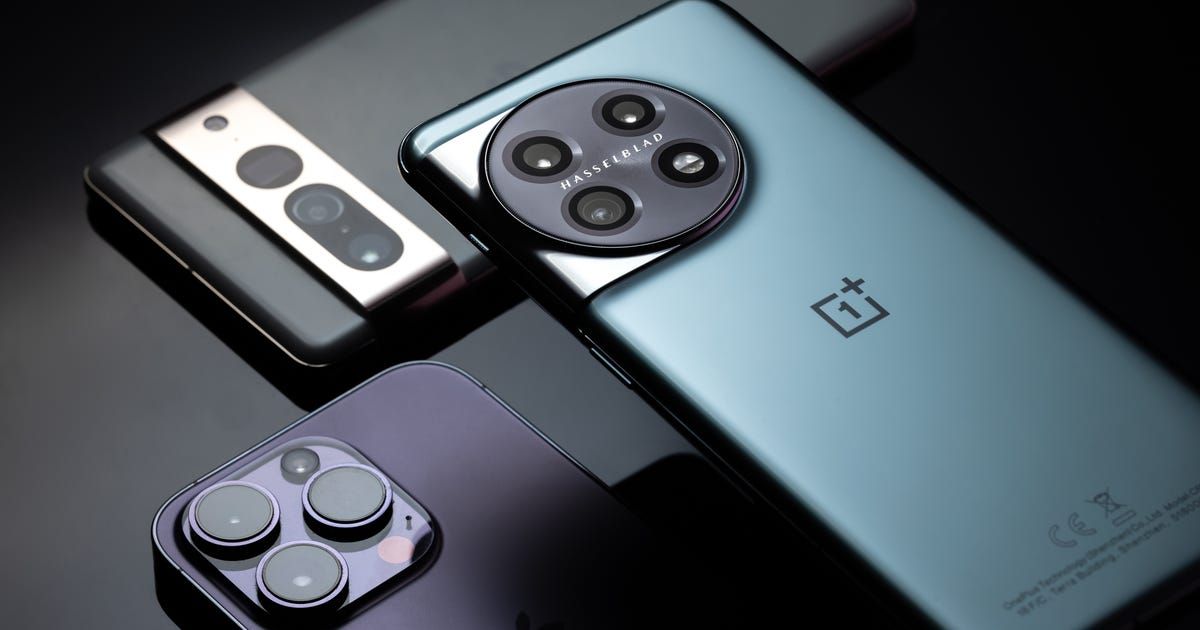
5 Things You Should Do After Buying a New Phone
Introduction
New Phone Setup Guide and smartphone checklist for new users are often ignored in the excitement of unboxing. That shiny screen, smooth design, and upgraded features can make anyone rush into action. But in the rush, many skip crucial steps that could protect their data and extend their phone’s lifespan.
Most people assume new phones are “ready out of the box.” However, skipping proper setup can lead to poor battery life, privacy leaks, and even data loss. Transitional actions such as updating software, enabling security features, and transferring data correctly are not just options they’re essentials.
A detailed New Phone Setup Guide helps you start right. The smartphone checklist for new users ensures your phone performs optimally, remains secure, and reflects your personal needs. Think of it as tuning your car before the first drive necessary, smart, and rewarding.
This blog will walk you through five essential steps every smartphone owner must follow after purchase. Whether you use Android or iPhone, these practical new smartphone setup tips from ObejorComputers.com will keep your phone safe, fast, and future-ready. Follow @ObejorComputers for more Nigerian tech insights and expert gadget setup advice because your new phone deserves a perfect beginning.
New Phone Setup Guide: Safeguard Your Memories with Smart Backup and Data Transfer Tips
Every New Phone Setup Guide begins with the same rule protect what matters. Before you install apps or take selfies, ensure your old data is backed up and transferred safely. This step from the smartphone checklist for new users prevents heartbreak later.
Start by connecting your old phone to a stable Wi-Fi network and backing up to Google Drive (for Android) or iCloud (for iPhone). Once done, restore that backup on your new phone using the brand’s official transfer tools. Avoid using unverified third-party apps they can corrupt or leak your data.
Transferring isn’t just about convenience it’s continuity. Many forget that chats, contacts, or saved passwords don’t always sync automatically. The New Phone Setup Guide emphasizes checking all your logins, especially for banking and business apps.
After confirming your files are restored, only then should you reset your old phone. At ObejorComputers.com, we recommend verifying twice before deleting anything. Your smartphone checklist for new users exists for a reason: it keeps your digital life safe, intact, and smoothly connected to your new device. follow @obejorcomputers for more updates.
Smartphone Checklist for New Users: Update Your Software and Apps to Keep Your Device Running Smoothly
The second rule in any New Phone Setup Guide is simple update everything. Many assume new phones are up-to-date, but that’s rarely true. Manufacturers release regular patches and firmware updates to fix bugs and improve security.
Head straight to your phone’s Settings → Software Update. Install all available updates before using your device fully. They enhance stability, boost battery performance, and secure your data. The smartphone checklist for new users treats this as a must-do step, not an afterthought.
Next, visit your Play Store or App Store and tap Update All. Outdated apps can cause slow loading, freezing, and app crashes. Updating ensures smooth performance and maximum compatibility.
Think of updates like regular car servicing small but powerful in keeping things running right. By staying updated, your phone performs like new for years.
Finally, enable automatic updates so you never miss future releases. For personalized guidance and easy new smartphone setup tips, visit ObejorComputers.com or follow @ObejorComputers. A well-updated phone is a reliable companion and your New Phone Setup Guide should always start here.
How to Set Up a New Phone Securely: Lock, Track, and Protect Your Device from Day One
No New Phone Setup Guide is complete without security. Your smartphone holds personal data, financial details, and sensitive files. The smartphone checklist for new users always puts protection before personalization.
Begin with strong security: set a PIN, password, or biometric lock immediately. Then, activate Find My iPhone (for Apple users) or Find My Device (for Android users). This ensures you can track, lock, or erase your device if stolen or lost.
Next, enable two-factor authentication (2FA) on essential apps emails, banking, and social media. Even if someone gets your password, they won’t access your accounts. The New Phone Setup Guide also recommends reviewing app permissions. Deny unnecessary access to your camera, location, or contacts.
For those using public Wi-Fi, install a trusted antivirus or use a secure VPN. Data theft is real, especially for entrepreneurs or business users in public spaces.
At ObejorComputers.com, we stress that security isn’t optional it’s vital. Follow @ObejorComputers for more new smartphone setup tips and Nigerian-specific mobile safety practices. The best phones aren’t just powerful; they’re protected and that’s the true goal of every New Phone Setup Guide.
New Smartphone Setup Tips: Personalize, Optimize, and Power-Up Your Phone for Everyday Performance
Once your basics are done, it’s time to make your device truly yours. The fun begins here. Every New Phone Setup Guide includes personalization and optimization. This is where your phone becomes part of your lifestyle.
Start with layout organization group apps into folders like “Work,” “Social,” and “Finance.” Delete unnecessary preinstalled apps that drain your memory and battery. Then, set your wallpaper and theme for a personal touch. The smartphone checklist for new users highlights how personalization improves productivity and comfort.
Next, dive into battery optimization settings. Lower screen brightness, turn off background app refresh, and activate adaptive battery mode. These new smartphone setup tips extend your phone’s life and make daily use more efficient.
Lastly, sync your phone to the cloud for automatic backup. That way, your files, photos, and contacts remain secure no matter what happens.
Visit ObejorComputers.com or follow @ObejorComputers for accessories, screen protectors, and pro gadgets to complement your device. A personalized phone isn’t just beautiful it’s smarter, faster, and truly yours. That’s the ultimate goal of every New Phone Setup Guide.
Conclusion
Your New Phone Setup Guide is your roadmap to a secure, personalized, and high-performing device. Following the smartphone checklist for new users ensures that your excitement turns into long-term satisfaction. Each step backup, update, secure, and personalize builds a stronger relationship with your device.
At ObejorComputers.com, we help you start every tech journey right from smartphones to laptops, accessories, and more. Whether you’re setting up your first Android or your tenth iPhone, trust @ObejorComputers to keep you informed, protected, and connected.
A phone setup done right isn’t just a process it’s peace of mind.
Q & A Section
Q1: Why is a New Phone Setup Guide necessary?
A: It ensures your new phone runs safely, efficiently, and according to your needs.
Q2: How often should I update my phone?
A: Check weekly for security patches and app updates for best performance.
Q3: What’s the biggest mistake new users make?
A: Skipping backups or ignoring app permissions both risk data loss.
Q4: How can I protect my new phone from viruses?
A: Use verified antivirus apps, avoid suspicious downloads, and stay updated.
Leave a comment